

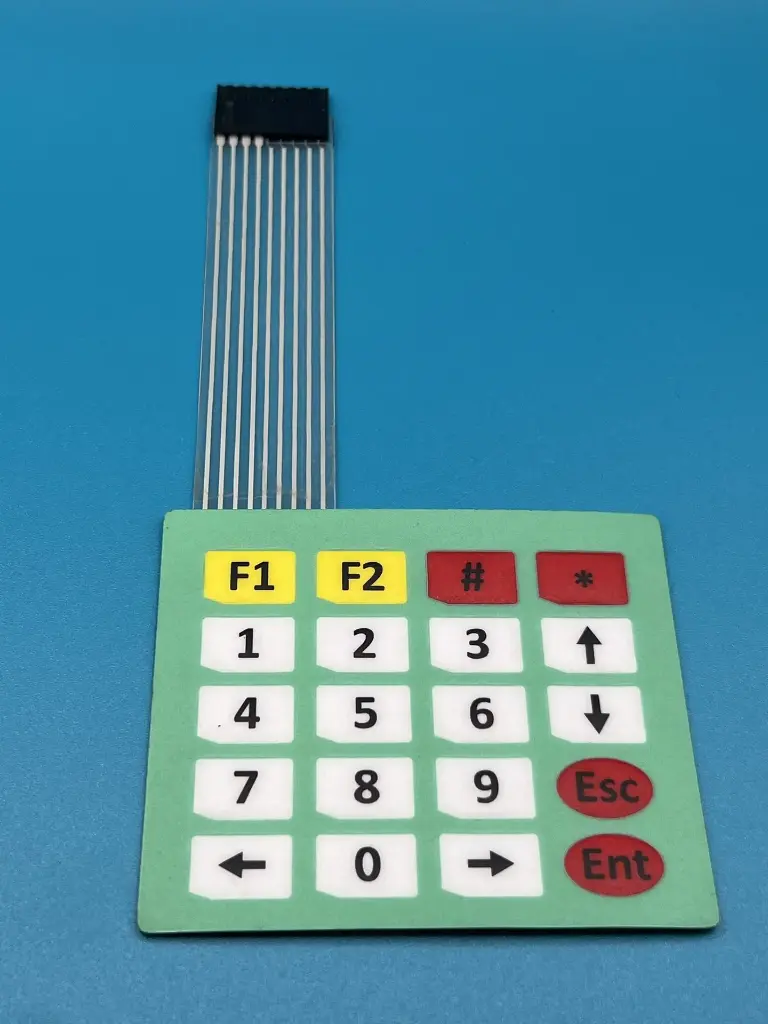
The 4x5 Matrix Keypad is a high-quality keypad with 20 keys arranged in a 4x5 matrix. This keypad is designed for a variety of applications including embedded systems, microcontroller projects, and digital circuits. It offers a simple interface for user input and is widely used in applications such as security systems, DIY electronics, and interactive projects.
Key Features:
- 20 keys arranged in a 4x5 matrix
- Durable and reliable design
- Easy to integrate with microcontrollers and other digital circuits
- Compact and lightweight
- Keypad Layout: 4 rows and 5 columns
- Operating Voltage: 3.3V to 5V
- Dimensions: 75mm x 100mm
- Cable Length: 100mm
- Connector Type: Pin header (10 pins)
- Embedded systems
- Microcontroller projects
- Digital input devices
- Security systems
- DIY electronics
- Interactive projects
- Connect the Keypad: Connect the row and column pins of the keypad to the digital I/O pins of the microcontroller.
- Initialize the Pins: Set up the microcontroller pins as input or output as needed.
- Scanning the Keypad: Implement a scanning routine to detect key presses by checking the state of each row and column.
- Read Key Presses: Identify which key is pressed based on the row and column detected during scanning.
- Use in Application: Use the detected key press for the desired function in your application, such as entering a password or navigating a menu.
- Ensure proper connections to avoid short circuits.
- Handle the keypad with care to avoid damaging the keys.
No Specifications