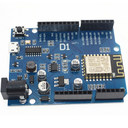

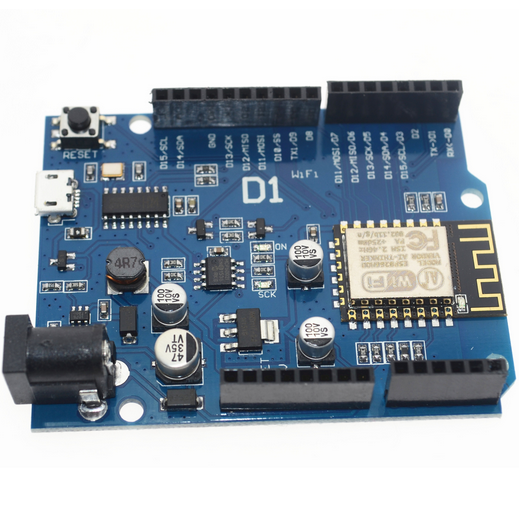
The Wemos D1 WiFi UNO is a microcontroller development board that combines the features of the popular Arduino UNO with built-in WiFi capabilities, thanks to the integration of the ESP8266 module. It is designed for IoT (Internet of Things) applications, enabling easy connection to WiFi networks and interaction with cloud services or other devices over the internet.
Key Features:
- Compatible with Arduino IDE for ease of development
- Built-in WiFi connectivity via ESP8266 module
- Microcontroller based on the ESP8266 chip
- USB interface for programming and power
- 11 digital I/O pins, including 1 PWM output
- 1 analog input
- Onboard LED and reset button
- Compact design suitable for various applications
- Microcontroller: ESP8266
- Operating Voltage: 3.3V DC
- WiFi Connectivity: 802.11 b/g/n
- Digital I/O Pins: 11
- PWM Outputs: 1
- Analog Input: 1 (0-1V range)
- Flash Memory: 4 MB (typically)
- Clock Speed: 80 MHz or 160 MHz
- Package Type: Standard Arduino UNO layout
- Dimensions: Approximately 68mm x 53mm
- Internet of Things (IoT) projects
- Home automation systems
- Wireless data logging
- Remote sensor monitoring
- Smart home devices
- Educational projects in electronics and programming
- Connect the Wemos D1 WiFi UNO to your computer via the USB interface.
- Install the necessary drivers and Arduino IDE with the ESP8266 board support package.
- Write and upload your code using the Arduino IDE, leveraging the WiFi capabilities to connect to networks or web services.
- Use the digital I/O pins, analog input, and onboard LED in your projects according to your needs.
- Monitor and debug your project using serial output or other communication methods.
- Ensure proper USB connection and avoid overvoltage to prevent damage.
- Follow the WiFi module’s usage guidelines for optimal performance and connectivity.
- Handle with care to avoid damage to the onboard components.
No Specifications