PIC KIT2
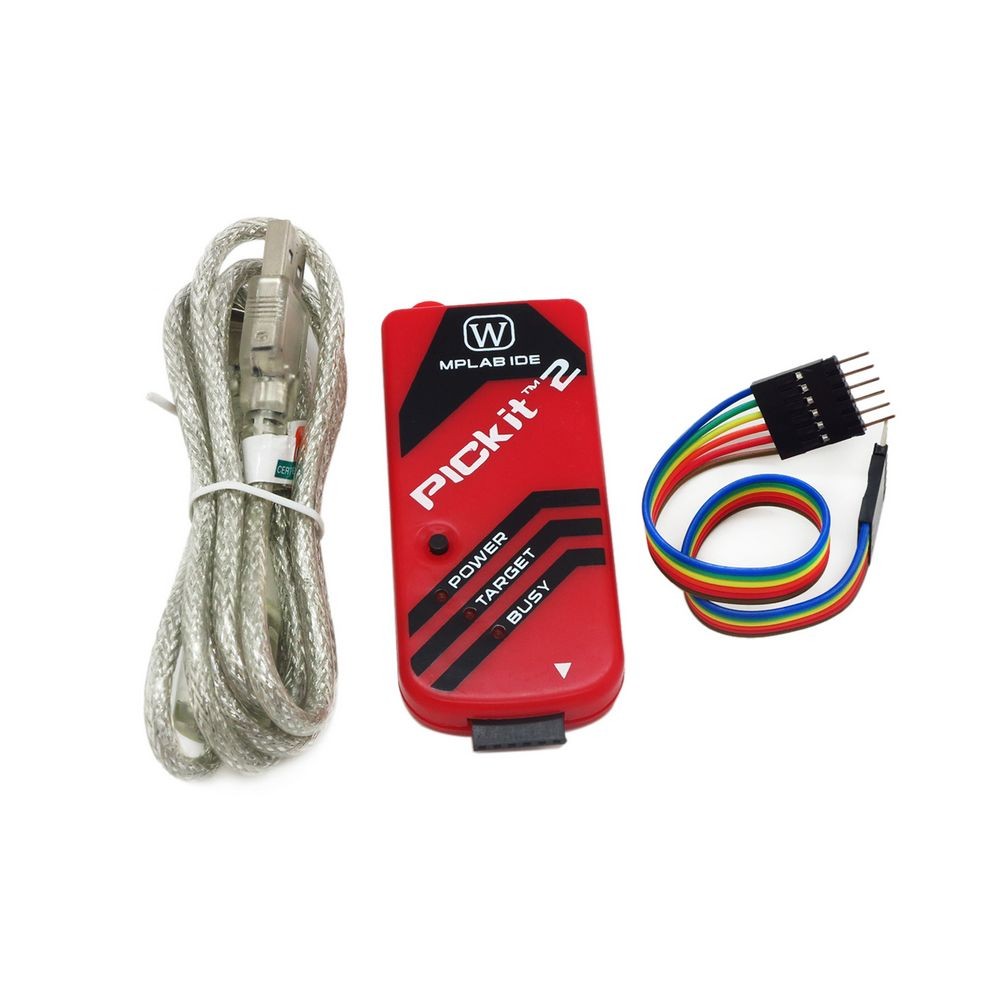
The PICkit 2 is a low-cost in-circuit debugger and programmer developed by Microchip Technology for programming and debugging PIC microcontrollers. It provides an easy and efficient way to develop, program, and test microcontroller-based projects. The PICkit 2 supports a wide range of PIC microcontrollers and offers a user-friendly interface for seamless integration with the MPLAB IDE.
Key Features:
- Supports a wide range of PIC microcontrollers
- In-circuit programming and debugging capabilities
- USB interface for connection to the development PC
- User-friendly interface with MPLAB IDE integration
- Low-cost and portable design
- Can be used as a programmer, debugger, and logic tool
- Built-in over-voltage/short-circuit protection
- Supported Devices: Wide range of PIC microcontrollers
- Interface: USB 2.0
- Programming Voltage: 2.0V to 5.5V
- Operating Voltage: 5V (from USB)
- Current Consumption: Typically 20mA to 25mA
- Dimensions: Approximately 75mm x 25mm x 11mm (varies slightly by manufacturer)
- Operating Temperature Range: 0°C to +70°C
- Microcontroller development and debugging
- Programming and testing of embedded systems
- Educational and learning projects
- Small-scale production programming
- Prototyping and hobbyist projects
- Connect the PICkit 2 to your PC via the USB interface and install the necessary software (MPLAB IDE or compatible).
- Connect the PIC microcontroller to the PICkit 2 using the ICSP (In-Circuit Serial Programming) interface.
- Use the MPLAB IDE to load the firmware or code into the microcontroller, configure debugging settings, and start programming.
- Verify the programming and debug the microcontroller as needed using the PICkit 2.
- Ensure the correct microcontroller type and settings are selected in the software to avoid programming errors.
- Handle the PICkit 2 and microcontroller carefully to avoid physical damage.
- Verify power supply and connections before starting the programming process to prevent damage to the programmer or microcontroller.
No Specifications